Platform Note
Connecting Vercel to GitHub is done entirely online through your web browser.
These steps are identical regardless of whether you’re using Windows, macOS, or Linux.
1
Go to your Vercel dashboard
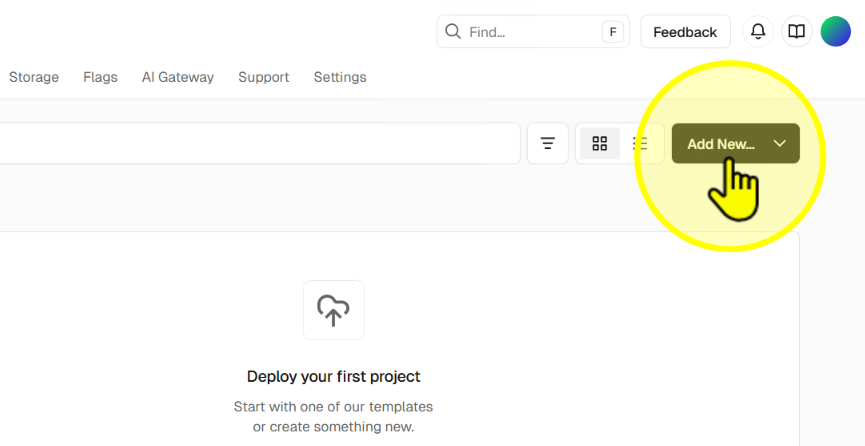
Step 1
2
Click 'Project'
Select Project to begin connecting a new repository.
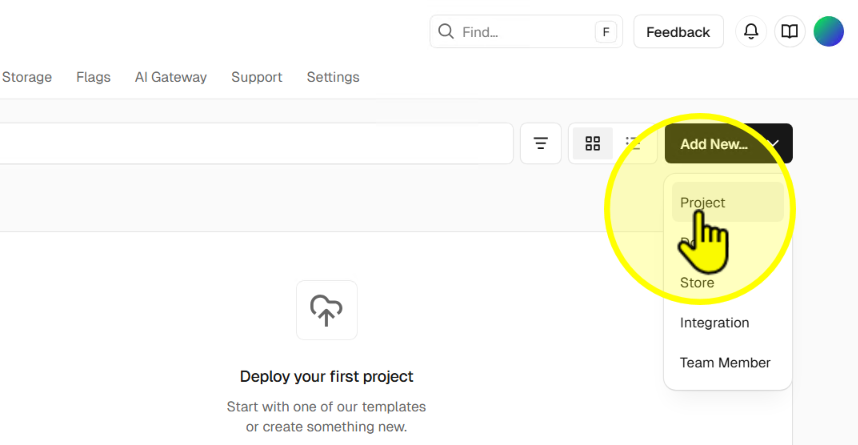
Step 2
3
Click 'Install'
Click the Install button to link your GitHub account.
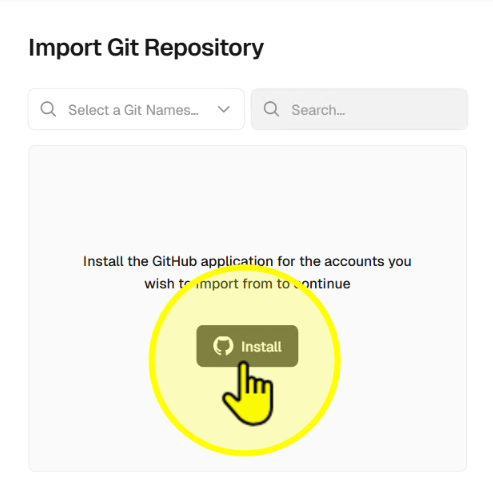
Step 3
4
Install the GitHub app for Vercel
Click Install on the GitHub confirmation page.
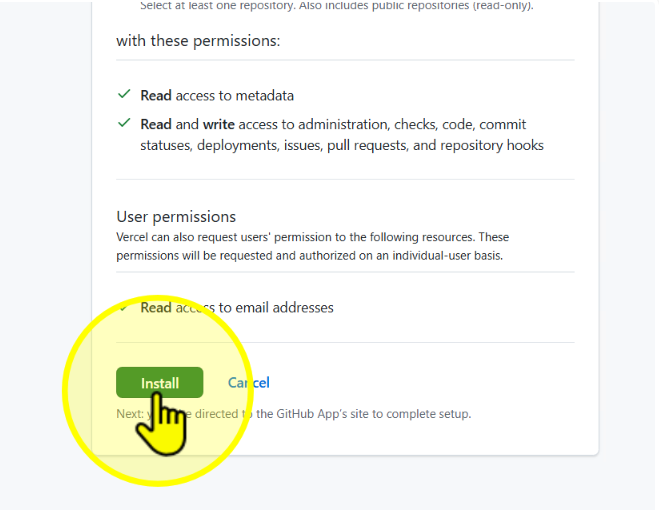
Step 4
5
Confirm installation with your GitHub password
Enter your GitHub password and click Confirm.
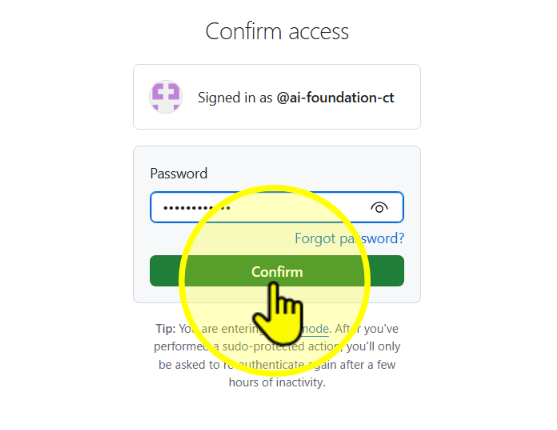
Step 5
6
View installation complete message
You will see the GitHub Installation Completed message, confirming the connection.

Step 6