Platform Note
Deploying projects to Vercel is done entirely online through your web browser.
These steps are identical regardless of whether you’re using Windows, macOS, or Linux.
1
View your project list
In your Vercel dashboard, you will see a list of available GitHub repositories.
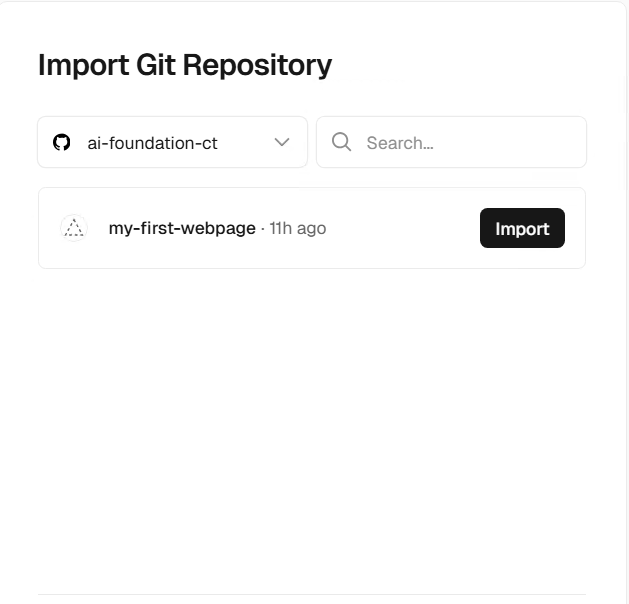
Step 1
2
Click 'Import' on the project you want to deploy
Find the repository you want to deploy and click Import.
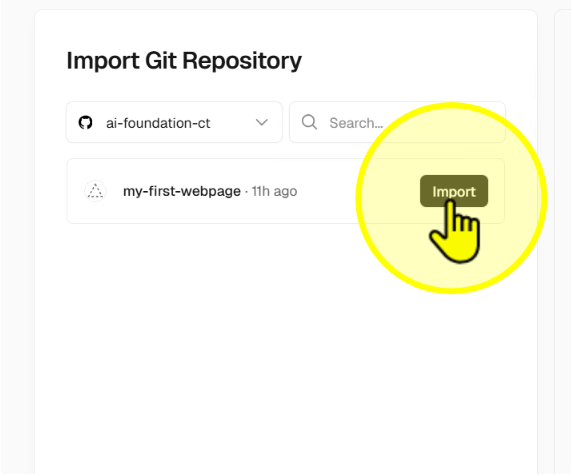
Step 2
3
Keep default settings and click 'Deploy'
On the project settings screen, leave defaults as they are and click Deploy.
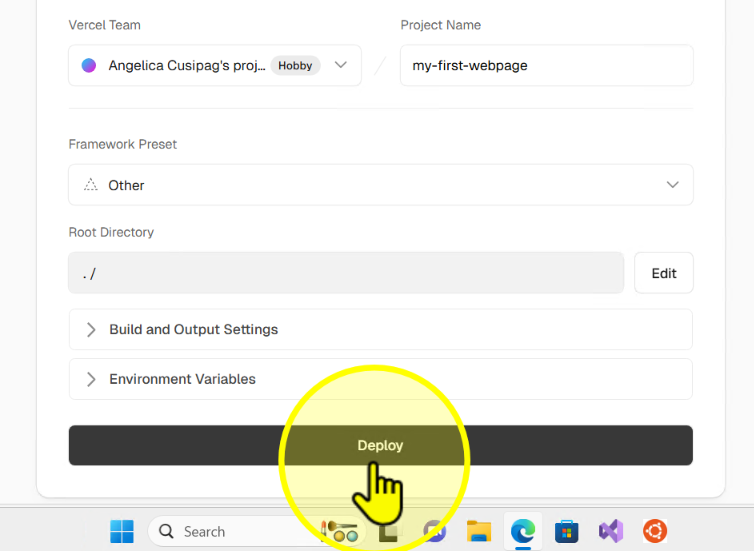
Step 3
4
Click 'Continue to Dashboard'
After deployment completes, click Continue to Dashboard.
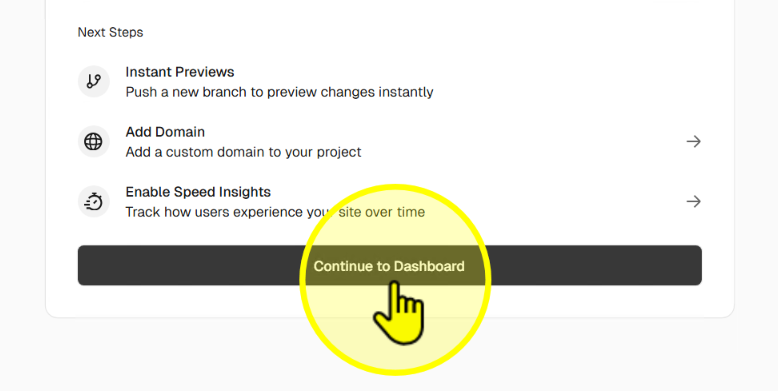
Step 4
5
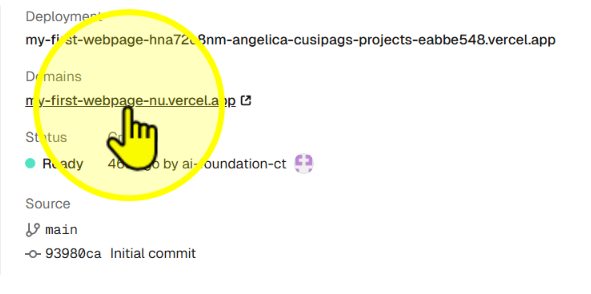
Click your project link to see your live site
Your project is now live! Click the provided link to view your deployed site.
Step 5